 Smalt
Live answers
While Smalt takes your meeting notes, it can also answer questions people ask, from your own files, right under the question above the pill. Off by default: Settings → Meetings → Live answers (the same choice is on Settings → Cloud). Asking with the ask key and talking with Claude Code are the voice assistant, a separate feature (Settings → Voice Assistant).
What you see
When someone asks something your notes can answer, the answer appears under their line, above the pill, before anyone says "let me check". It says who answered, and the files it came from.
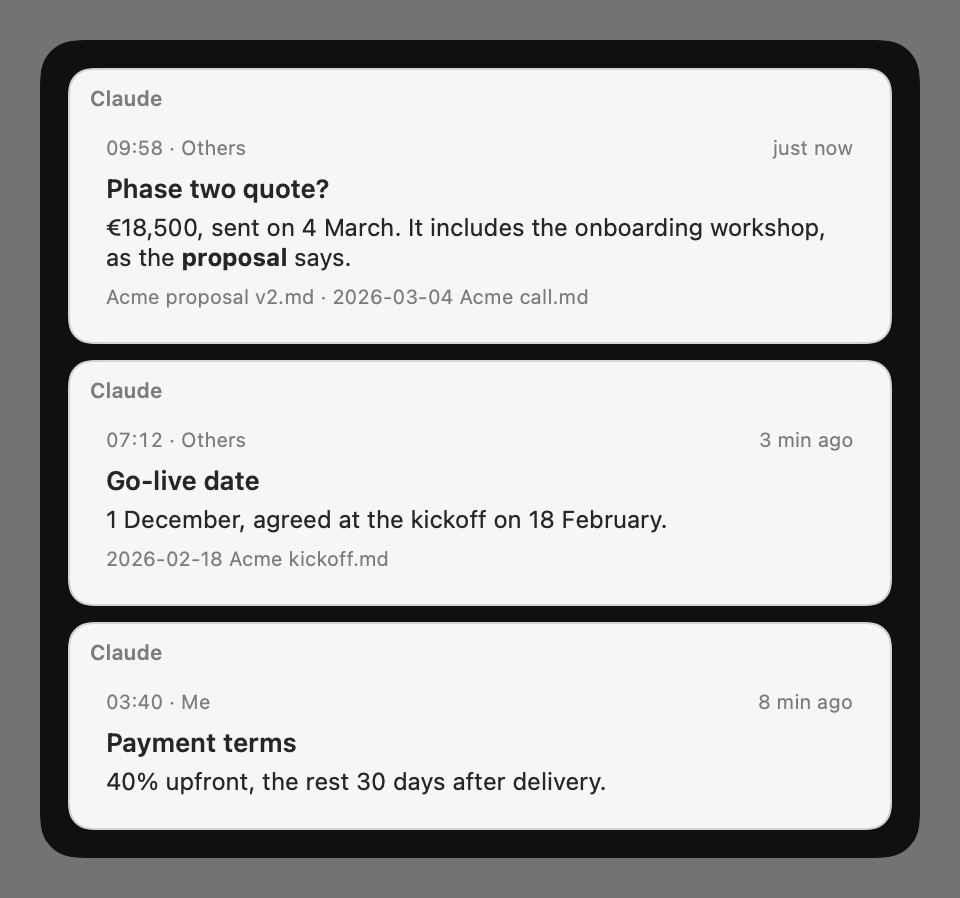
Two ways to get answers
Settings → Meetings → Live answers → Answered by:
| Smalt | Claude Code | |
|---|---|---|
| Who answers | Smalt, with the cloud model and your own key | Claude Code, on your Claude plan |
| Set-up | Two minutes in Settings | Connect Claude Code…, or one command |
| Searches | The folders you choose | Whatever Claude Code can reach |
| Voice | Answers to the ask key, out loud | Talk with it: /smalt |
| Guide | Set up Smalt | Set up Claude |
Pick Smalt if you just want it to work. Pick Claude Code if you already use it and want it to do the thinking. Claude Desktop works too, for meetings: see Set up Claude. More on what the answers look like: Answer cards.
What leaves your Mac
With Smalt thinking, lines go to the cloud model (or TypeSafe, if you add its key) to spot questions, and each question with a few passages from your folders goes to the cloud model to be answered, with your own key. With Claude Code, Smalt sends nothing itself. More in Privacy.